I’ve been running Hermes Agent — an open-source AI agent framework by Nous Research — for a few weeks now, and I’m genuinely impressed with it. If you haven’t seen what it’s been doing for me, I wrote about that recently.
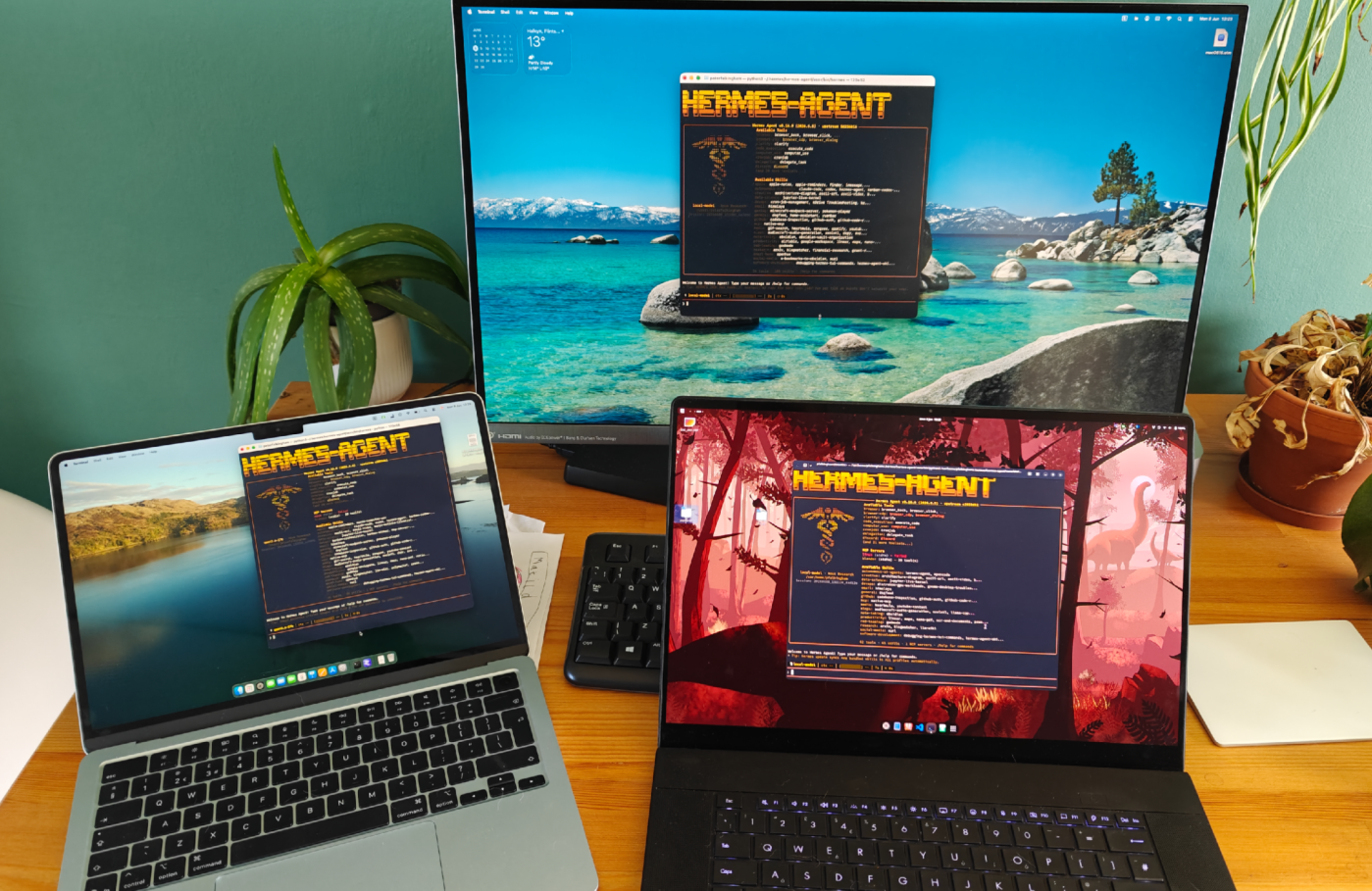
What I haven’t mentioned is that I’ve got it running on four machines simultaneously, all talking to the same model, all sharing the same memory and personality. It’s been working surprisingly well.
The Setup
Here’s what I’ve got:
- Windows desktop with an RTX 4090 (24GB VRAM) — this is where the model lives
- Mac mini — Hermes client
- MacBook Air — Hermes client
- Asus ProArt P16 laptop with an RTX 5090 Mobile — Hermes client (I’ve written about this machine before)
- OnePlus Open Android phone – Telegram
The model — Qwen3.6-27B, a dense 27 billion parameter model — runs on the Windows desktop through LM Studio (though could just as easily run on the laptop, I just prefer not to hear fans constantly maxing out). The other three machines don’t run the model themselves; they connect to it remotely using LM Link, which is LM Studio’s feature for sharing models across devices. It’s built on Tailscale mesh VPNs, end-to-end encrypted, and just works. I’ve got it configured with 210,000 tokens of context space (the model natively supports 262K), which just about fills VRAM.
Hermes is connected to Telegram on three of the four machines, so I can talk to it from my phone regardless of which computer is on.
Keeping Identity in Sync
The thing that makes this actually useful rather than just four separate agents is that they all share the same identity. Hermes has a persistent memory system — it writes notes about you and your environment that get injected into every conversation — plus a persona file that defines the agent’s personality. If those differ between machines, you’ve got four different agents and half the point is lost.
I actually asked Hermes itself to set this up, which was a nice moment of meta. It created a script that symlinks the key persistent files from ~/.hermes/ through to a kDrive folder, so they sync via the cloud.
Three files get symlinked:
~/.hermes/SOUL.md— the persona/personality file~/.hermes/memories/MEMORY.md— the agent’s notes about your environment~/.hermes/memories/USER.md— the agent’s notes about you
The rest of the Hermes directory — session databases, cache, logs — stays local on each machine. Which is deliberate and important.
Why Chat History Shouldn’t Sync
The session database (state.db) is a SQLite file that stores conversation history. It’s not synced. If you sync a SQLite database over a cloud sync service, you get file corruption. Two machines writing to the same database file simultaneously — or even just finishing writes at slightly different times — and the sync service sees conflicting versions. Best case it picks one arbitrarily and you lose half your messages. Worst case the file structure breaks and you lose everything. Cloud sync services are designed for text files and documents, not live databases.
So each machine has its own conversation history. The agent remembers who I am everywhere (same memory, same personality), but it doesn’t remember what we talked about yesterday on the other machine. That’s a reasonable trade-off.
Bumping Up the Memory
One thing I tweaked recently was the memory character limit. The default memory_char_limit is 2200 characters, which is fine, but after a few weeks of use, it was filling up. I bumped it to 3000:
memory: memory_char_limit: 3000 user_char_limit: 1375
That gives the agent more breathing room to store useful context without bloating every prompt too much. But, the larger that is, and the more filled out all these files are, the more you eat into your context budget right from the start, so try and keep them lean.
Hermes Desktop
I also just tried the Hermes Desktop app for the first time. What was nice was that it just picked up all my existing settings — model config, skills, memory, the whole lot — without any manual configuration. It read the same config.yaml and everything was there.
One genuinely useful thing the desktop app made easier: toggling skills on and off. Hermes comes with a large library of skills — procedural memory for things like code review, GitHub workflows, data science, image generation, and so on. Every enabled skill gets loaded into the system prompt, eating up context window. I don’t need half of them.
The desktop interface made it straightforward to disable skills I don’t use, which freed up a meaningful chunk of context space. That actually helped offset the larger memory character limit — more room for persistent notes, less wasted on skills I’ll never call. All that being said, for some reason I vastly prefer using the command line.
How It Feels
Talking to Hermes on any of the four machines feels like talking to the same agent. Same personality, same knowledge of me, same capabilities. The only difference is which machine’s local tools are available — the ProArt can run Linux commands in its distrobox, the Mac mini can control Home Assistant, or employ computer use, and so on.
It’s been running smoothly for weeks now. I’ll probably write more about specific things it’s doing as I discover more of what it can handle.


Leave a comment