Ugh. It pains me to say it, but this is probably the best laptop in the world. And it’s not even close. Shame about macOS, though.
I’ve been lucky enough to be generously provided with a MacBook Air (thanks Beth!) primarily so XMALab gets compiled and built properly for macOS. It’s the base model — 16GB of unified memory, 512GB SSD, and the base M5 chip. (As I write this, the M6 has just landed in the new Mac mini, so the M5 is already last generation. It doesn’t dent the argument below, but it’s worth saying out loud: buying the Air today means buying the chip that was the news six months ago.)
This isn’t going to be a blow-by-blow tour of what a MacBook Air is — there are thousands of reviews like that already out there. I want to talk about the hardware and the software in the context this device actually gets used in here: writing, reading, a fair bit of coding, and the occasional piece of serious 3D work. And because nothing exists in a vacuum, I’ll draw direct comparisons against my Asus ProArt P16, which is — and remains — my actual primary computer.
Hardware
I know Apple hardware is good; that’s not a revelation. But there’s something about the Air next to my wife’s M1 MacBook Pro. The Air just exudes quality. It’s the first device since my Surface Pro X (that I bought twice) to make me smile when I open the lid. The size and weight are exactly right, the screen is nice, the keyboard is nice, the speakers are nice, the webcam is genuinely good, and the battery life is absurdly good.
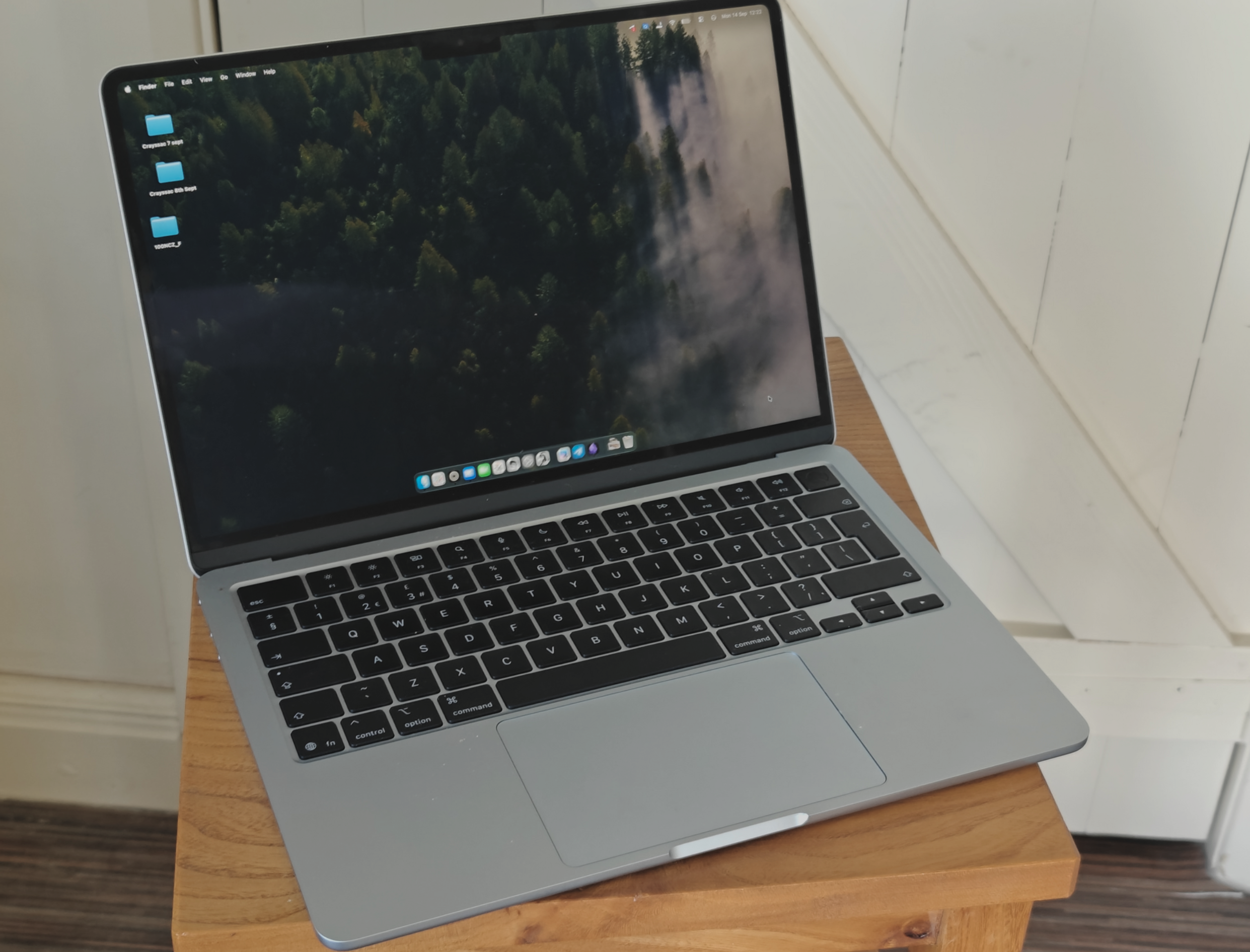
None of those things is the best on its own (except maybe battery). The screen and keyboard on my ProArt P16 are both better, and that machine is dramatically more powerful when it’s plugged into the wall. And yet, together, they add up to a cohesive machine that is simply a joy to hold and to interact with on a physical level. That “cohesive” part is the whole story, and I don’t think review spec sheets ever capture it.
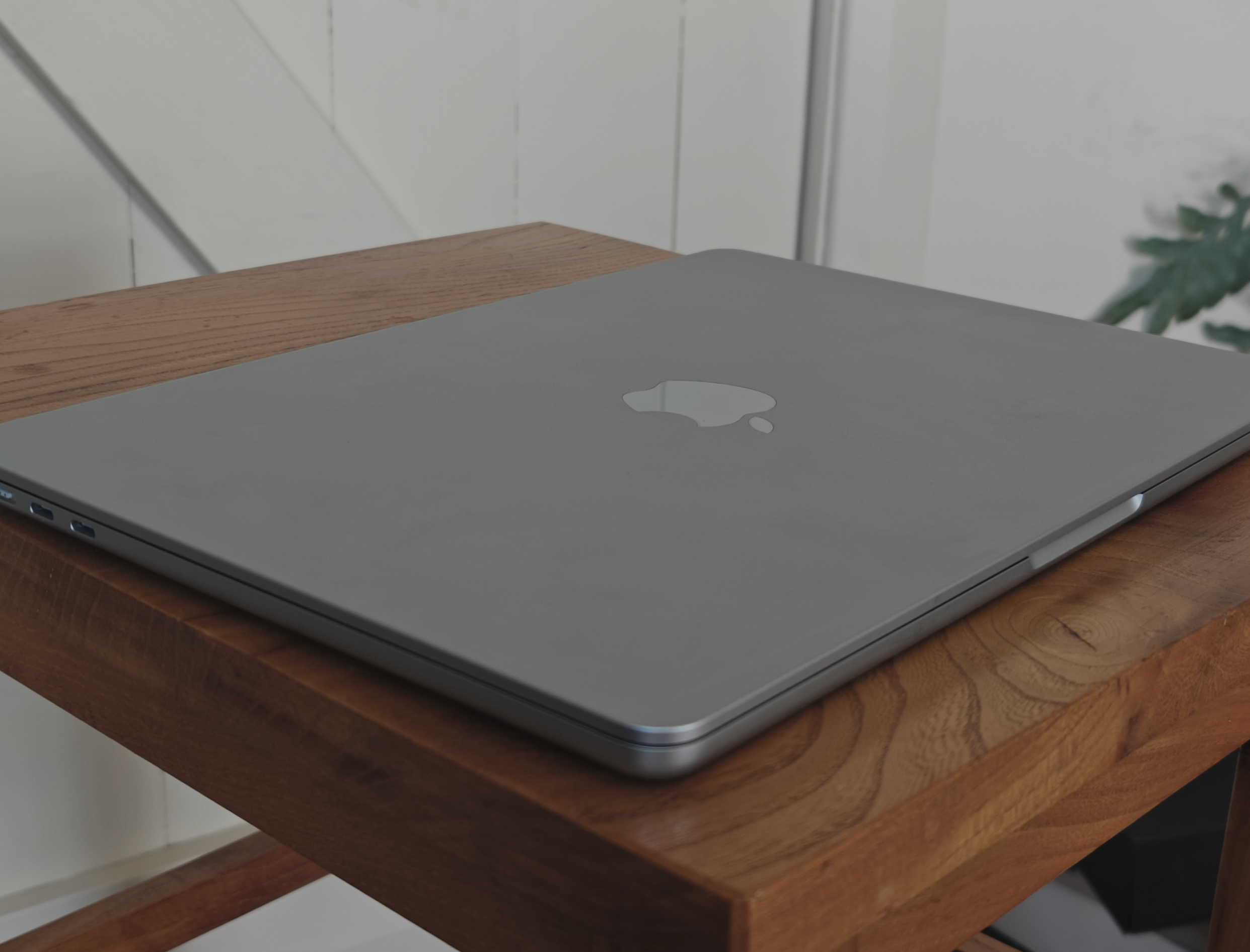
I’ve not been hammering it much so far — the form factor pulls you towards writing, note-taking and light coding rather than heavy computation, but I did test some photogrammetry.
Before the numbers, one thing I need to highlight, because it’s the single most disorienting property of this machine: it is as good on battery as it is plugged in.
I’ve read that sentence a thousand times across reviews and tech blogs. Nothing prepares you for it when you have a high-end Windows laptop sitting on the desk beside you. My ProArt P16 is a very expensive, very high-end machine — and I’m confident that when both are away from a charger, the MacBook Air is the more powerful computer. Which is bonkers. It’s the entire premise of what a “laptop” is supposed to do, and Apple has quietly nailed the part that everyone else keeps dropping.
The photogrammetry test
So to test it, I ran my usual 53-image photogrammetry case — a small carved figurine, the “Styracosaurus“, shot on a turntable and reconstructed in Agisoft Metashape Pro.
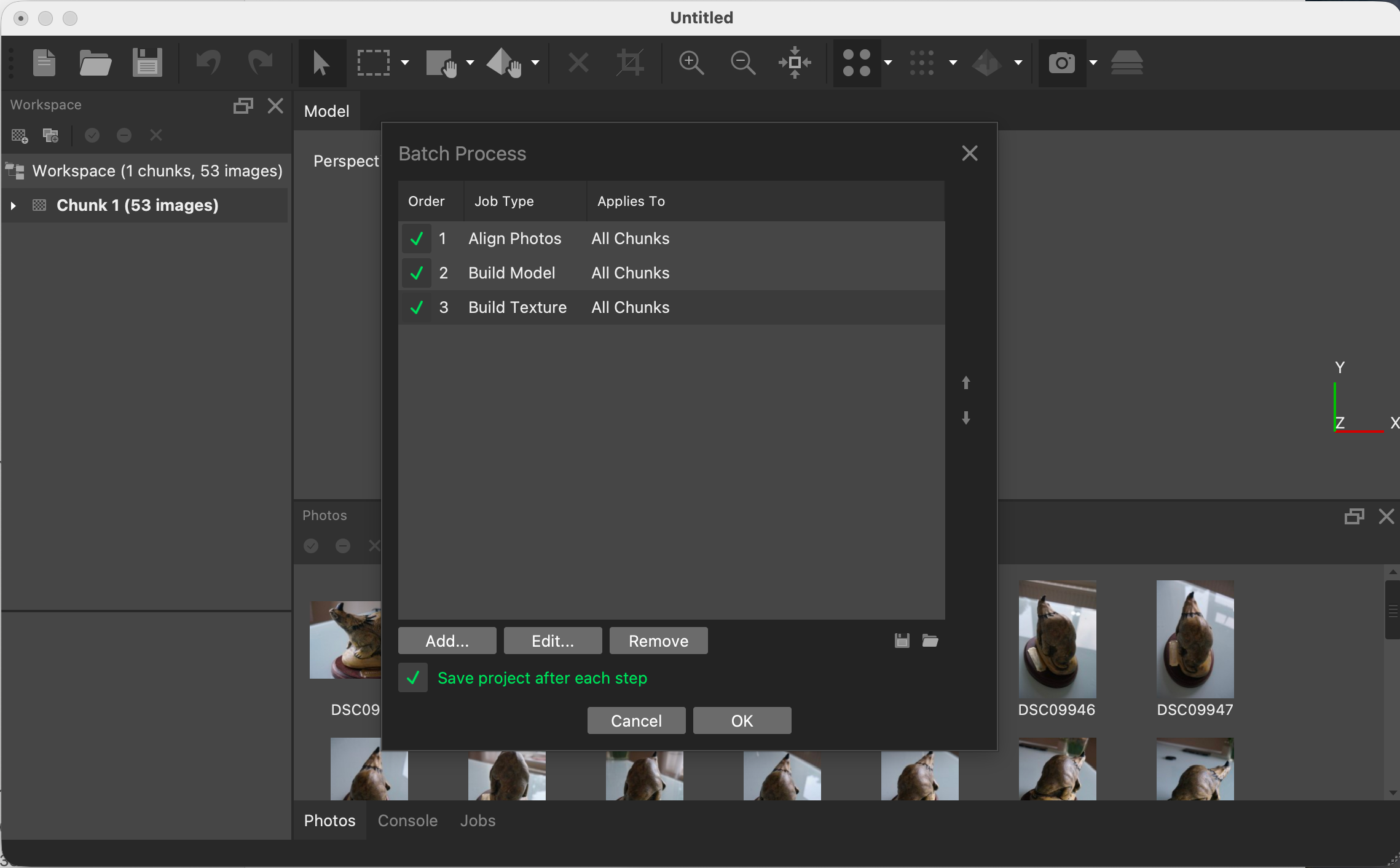
The batch I fired: Align Photos → Build Model → Build Texture across the whole chunk, with “save after each step” on. Nothing has run yet — this is the launch screen.
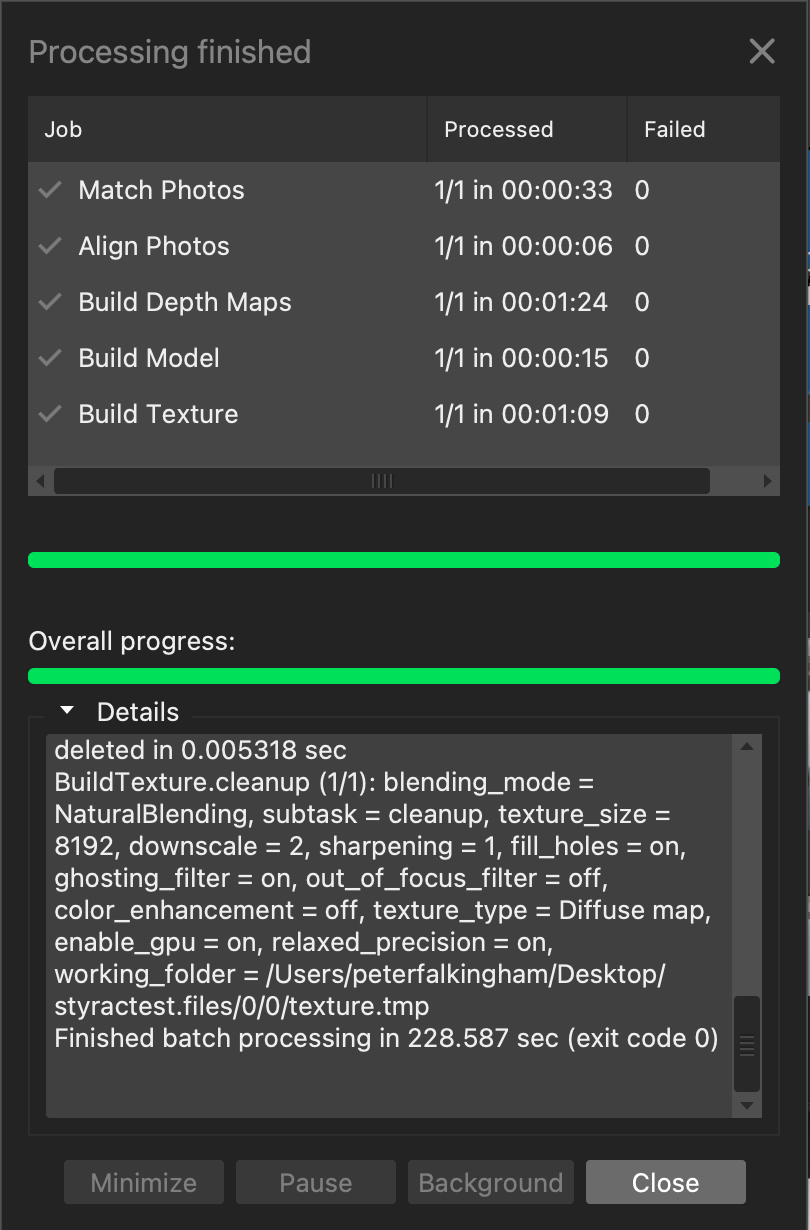
The finished dialog. The line that matters is at the bottom of the log: Finished batch processing in 228.587 sec.
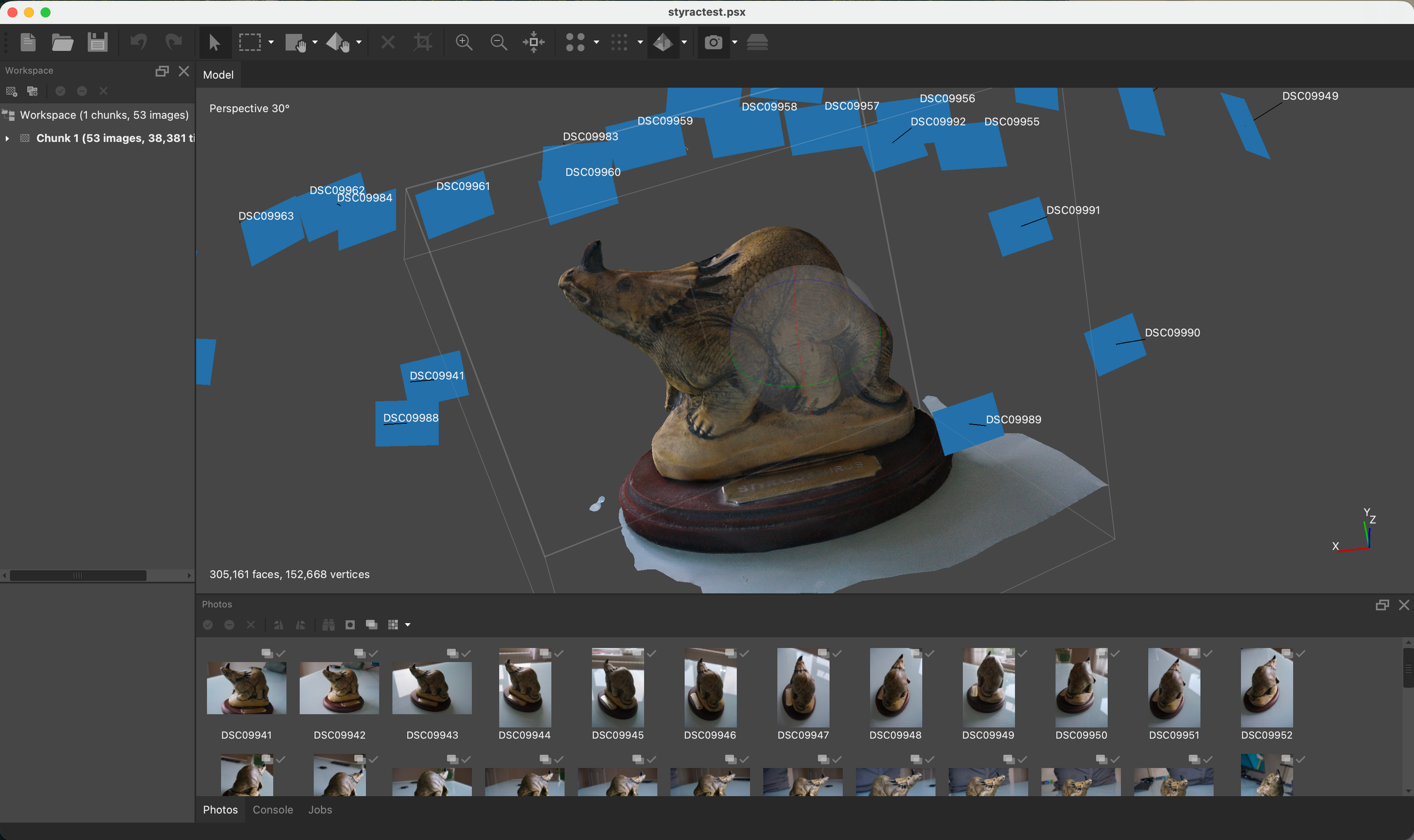
The result: 38,381 tie points, a mesh of 305,161 faces / 152,668 vertices, an 8,192-pixel diffuse texture, every camera solved. And the model looks fantastic.
That whole run took 228.6 seconds — just shy of four minutes — and this was unplugged.
One caveat I’d be dishonest to skip: photogrammetry has historically been the worst-fit workload on Apple silicon, because Metashape’s GPU path leaned on CUDA and OpenCL and the Mac’s own GPU got left out in the cold. That has quietly changed. Metashape now ships native Apple-Silicon builds and genuinely uses the Mac GPU — you can see it in the log of my own run, where the texture bake runs with enable_gpu = on, on the very Natural-blending mode whose Apple-Silicon support Agisoft only patched in version 2.3.1 back in April. For years the honest answer was “a Mac is fine for small photogrammetry, hopeless for anything serious”. On a 53-image object scan, in under four minutes, off the battery, that answer now feels out of date. It’s still the case that there’s only really Metashape that works this well on a Mac. Some other software have workarounds (MeshroomCL, ColmapCL, for instance), whilst others, like my favourite RealityScan have no Mac option, despite working fine on AMD and NVidia on Windows and Linux. But, it’s worth pointing out that this base MacBook Air processed this data faster than my Desktop 4 years ago. Some of that improvement is undoubtedly in the software, but still…
Portability
This is the 13.6″ version. It’s light and portable, and I find myself favouring it over the Asus ProArt when out and about almost every time. On the train during commute, it’s a no-brainer to have a silent, cool, small and light machine (that fits in the nice bag I originally bought for my Surface Pro 3!) for reading emails, editing manuscripts, and making notes. But I also find I take it with me on fieldwork – it’s small, light, and useful for organising photogrammetry data, and running small test reconstructions to assess photo coverage.
As an aside, my wife recently got the 32GB 15.3″ version of the Air. That somehow feels more compact, given it’s still just as thin, and is far more capable. It’s an equally beautiful laptop.
I recently opted to take it to Crayssac with me on fieldwork. The main reason was that it was smaller and lighter (so kept my carry-on within Ryanair’s stingy limits), and, well, it wasn’t a £3.5k computer I usually rely on. However, that turned out to be sub-optimal. The lack of an SD card port on the machine meant I had to plug my cameras directly in, and they weren’t recognized as external drives until I installed the Nikon Transfer Utility, which was a bit shit. The ProArt, with its greater set of ports and inbuilt SD card would have been far faster to organize photos and I could have done full reconstructions instead of small tests. And then, actually organizing the images on Windows or Linux would have been easier…
Some thoughts on MacOS
…Because even simple file management in MacOS is an inefficient chore. I’ve used the OS a lot so this isn’t a familiarity thing anymore, it’s that MacOS is simply not as good as Windows or Linux for day-to-day operating system stuff.
The polish and fluidity are great. The animated lockscreen to desktop transition expands my smile as I first login, but as soon as I want to do any sort of multitasking it all breaks down a bit and little niggles start to annoy me. And most of that is silly little stuff.
Switching desktops with a 3/4 finger swipe on the trackpad, or with ctrl left/right is weirdly ponderous. I mean, Windows 11 handles this terribly (though the September update improved it a bit, and even as janky as it is it feels faster if not smoother than MacOS), but Linux (Gnome) is much snappier. That some windows maximise like on Windows, but others create a new virtual desktop is inconsistent and frustrating. The settings menu being locked into a set horizontal width feels bizarrely cramped on a small landscape laptop screen. But the root of my frustration is Finder, an abomination of a file explorer.
It’s easy to rag on MacOS, so I’ll rein myself in a bit. Suffice to say that I can do the basics well enough to get on with simple work, but more complex multitasking is not fun.
The bottom line
It pains me to have opened the piece the way I did, because the truth of it is that the hardware is the best laptop in the world and there’s no arguing around the physical object.
It’s a laptop for writing, reading, thinking, coding, the occasional 3D job, much of it in a lecture hall or a field hut where there’s no charger within twenty feet. It’s no replacement for the ProArt P16 when the real GPU hammering starts — the P16 keeps the win on the screen, the keyboard, and any task that runs plugged in and on the clock. What’s genuinely unnerving is how much closer the little fanless one now gets, and how good it stays with the power cable pulled.
If you live in the writing-and-reading half of my life, this is the one. If you live in the rendering half, the RTX Spark ProArt is what I’m still waiting for — and when that lands, I’ll be able to say a good word for both machines and mean it.


Leave a Reply