In which I tried - and failed - to document pros and cons for about a million different combinations of software.
Trying all the free Photogrammetry!

Palaeontologist: Dinosaur Footprints – Biomechanics – Simulation
In which I tried - and failed - to document pros and cons for about a million different combinations of software.
OpenMVG is a pipeline for structure from motion. I’ll go through the basics of downloading, installing, and running it on Windows 10. It does actually compile on Windows, but it can be a royal pain in the rear to get everything set up properly (requiring Visual Studio, Python, and a lot of luck). Far... Continue Reading →
Continuing my series of using photogrammetry software, we come to MeshRecon, by Zhuoliang Kang. This is one of my favourite photogrammetry pipelines, and it's dead easy to use: Download the Zip file from Kang's Webpage here: http://zhuoliang.me/meshrecon.html Unzip the folder somewhere, and inside are 4 sub-folders (img, meshrecon, results, and vsfm), a readme, and a... Continue Reading →
This is a re-post of a document I placed on Academia.edu a few years ago. In fact, that academia paper has sat in Academia.edu's top 0.5% of papers in terms of views for some time. However, I'm reposting for two reasons: 1. Academia.edu have added so many 'premium' (i.e. costly) features that I'd like it... Continue Reading →
Ok, this isn’t really necessary, but I’m posting it for completeness sake as part of an upcoming blog post. This will just give you a quick rundown on how wiz through Agisoft’s Photoscan and generate a model. If you’d like a more in-depth piece, I suggest Heinrich Mallison and Oliver Wing’s paper in Journal of... Continue Reading →
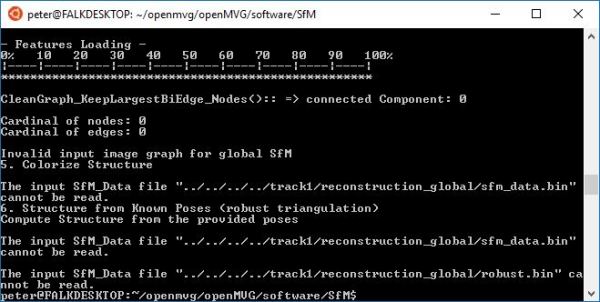
The recent update for Windows 10 enabled a feature that I’m sure has gone unnoticed by many: You can now install a native linux terminal in Windows. Who cares? I hear you ask. Well, I’ll be writing up guides on some open source software soon, and using Bash on Windows 10 is waaaaay easier than... Continue Reading →

For a moment there, between 2012 and 2015, there was a glorious time where it all came together for me. I took to windows 8.1 immediately – it’s the first operating system I’ve ever bought outside of a new computer. I had it on my home computer, my work computer, and my phone. Settings and... Continue Reading →
My extolling the wonders for productivity given by windows 8.1 and Onedrive, and my disappointment with Windows 10
(This guide was actually written 25/5/13, but should still be applicable. PDF here) This guide will hopefully provide a quick start to processing CT data and exporting models using 3D slicer (http://download.slicer.org/). The documentation available for Slicer is pretty fragmented and/or out of date (referring to considerably older versions), so this guide is based on... Continue Reading →

A couple of years ago, I was part of a group that published a method on calculating body mass in extinct animals from laser scans of their skeletons. The method involves separating the model into parts, and then using the qhull command to produce a volume that encloses the segment as tightly as possible. This... Continue Reading →
 Prof. Peter L. Falkingham