My last post was about trying out Bazzite. I’d installed it to an external SSD and gave it a good go for a few days as my main OS. It was a bit of a faff, needing to carry around the SSD with the laptop when I moved about, so I finally put on my big-boy pants and actually installed it to the internal SSD. And so began an absolute shit-show of dealing with nonsense.
My windows drives are encrypted with bitlocker. This means you can’t move partitions around easily. I’m also only on Windows 11 home, which means I can’t suspend Bitlocker, I can only completely decrypt all windows drives. So that took a few hours to decrypt 3TB. (FYI, this is when I discovered you can’t use Recall if your drives aren’t encrypted).
After I did that, I shrunk the windows partition on my D: drive, creaed a 250gb free partition, and booted up Bazzite from a USB.
The install was super easy, I just pointed the installer at my free partition, it did it’s thing, and next time I rebooted the computer I could select between Bazzite and Windows.
Super.
Immutability wasn’t for me.
Having Linux on the internal drive meant moving around with the computer was easier, and I could get a better sense of driving Linux more naturally. I never solved the HDR issue I was complaining about. And after a couple of days the immutable nature of Bazzite started making itself felt in inconvenient ways.
First up was touchpad scrolling speed. Notoriously too fast when using Wayland and Gnome, with no slider exposed, it’s a faff to fix properly, but there are various scripts I uncovered online that did the job.
What was less easy to fix, however, was that every time I logged in everything would log in normally, then after about 10 seconds or so the screen would go black for 2-3 seconds. A normal human being would have probably ignored this – it only happens when you unlock the lockscreen, after all. But it drove me bonkers. It was also really hard to search for solutions online, because a common issue is a permanent black screen on login. Anyway, I eventually narrowed it down to something related to the AMD iGPU and the Nvidia dGPU being wierd together, and the Nvidia GPU crashing on login, thanks to this reddit thread, and this Gnome link. Problem was, fixing it required changing a bunch of stuff exactly where Bazzite is read only.
Whilst I adore the idea of an immutable distro, this was of course a bit of an eye opener that you can’t get in there and fix stuff as easily. So I went a distro-hopping.
CachyOS
Long story short, I ended up with CachyOS. Another gaming distro, but this time based on Arch – almost the exact opposite of the immutable Bazzite in that regard, but still with highly optimized kernels and software that are useful for gaming and Blender/Photogrammetry etc. I’ve never used Arch before, and getting the hang of the Arch User Repository took me a little while, but finally I was able to fix the problem.
With full access to everything, I was able to implement the solution at the gilab.gnome link above, which is to suspend and start the gdm-power service on login.
I wrote a script that implements this:
# Script to apply the gnome-shell pause/resume fix for suspend issues

# Check if running as root
if [ "$EUID" -ne 0 ]; then
    echo "Please run as root (use sudo)."
    exit 1
fi

echo "Creating systemd service files..."

# Create gnome-suspend.service
cat > /etc/systemd/system/gnome-suspend.service << 'EOF'
[Unit]
Description=Pause gnome-shell before suspend
Before=systemd-suspend.service nvidia-suspend.service

[Service]
Type=oneshot
ExecStart=/usr/bin/pkill -f -STOP gnome-shell

[Install]
WantedBy=systemd-suspend.service
EOF

# Create gnome-resume.service
cat > /etc/systemd/system/gnome-resume.service << 'EOF'
[Unit]
Description=Resume gnome-shell after resume
After=systemd-suspend.service nvidia-resume.service

[Service]
Type=oneshot
ExecStart=/usr/bin/pkill -f -CONT gnome-shell

[Install]
WantedBy=systemd-suspend.service
EOF

echo "Reloading systemd daemon..."
systemctl daemon-reload

echo "Enabling and starting services..."
systemctl enable gnome-suspend.service gnome-resume.service
systemctl start gnome-suspend.service gnome-resume.service

echo "Done. The suspend/resume fix is now active."
echo "You can check status with: systemctl status gnome-suspend.service gnome-resume.service"
I was also able to go in and stop the SD card reader from waking the laptop during sleep – a bizarre little bug that meant I kept hot-bagging.
After that, it was time to customize everything – a whole bunch of Gnome extensions:
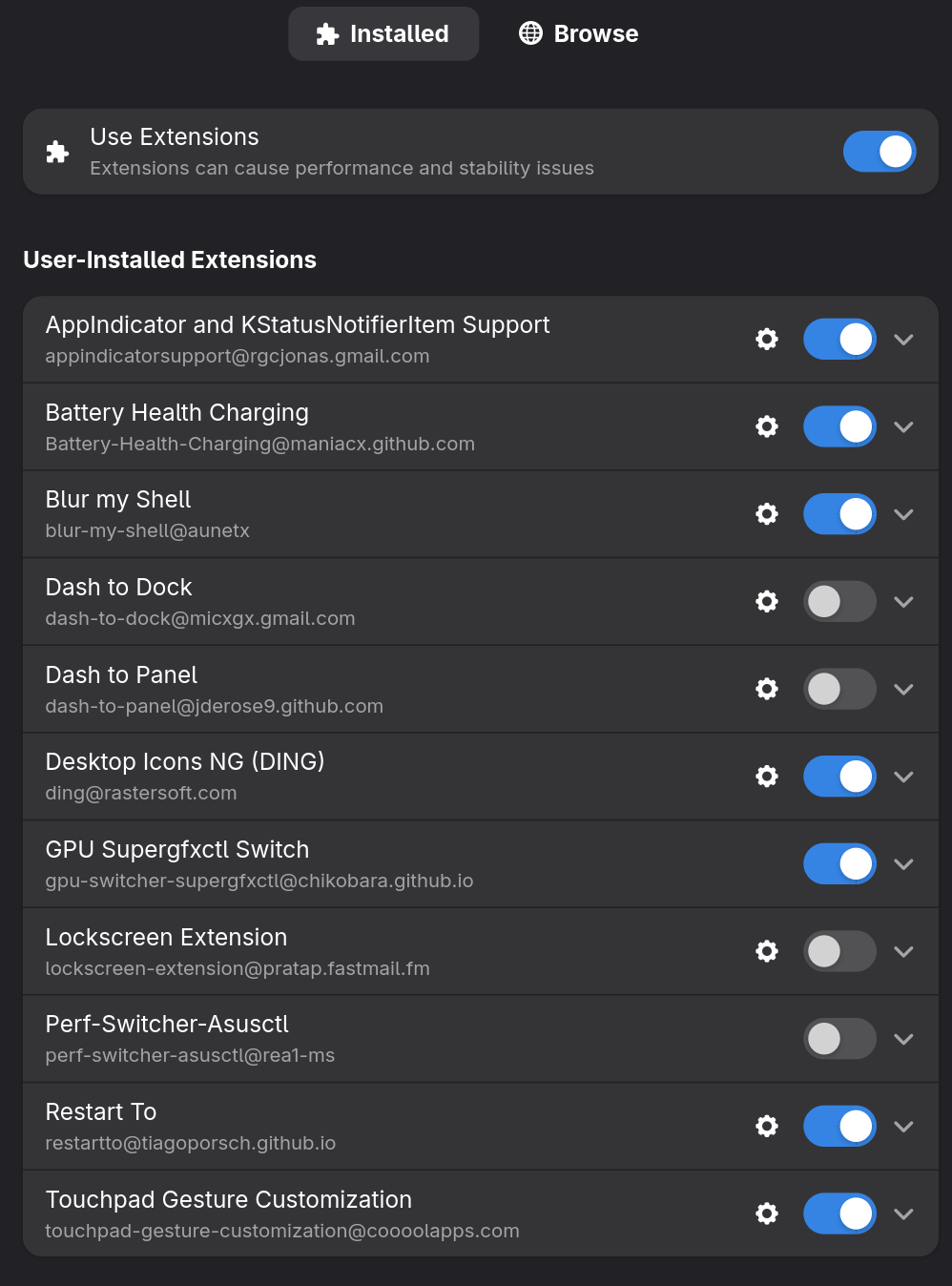
In particular, it was nice to be able to install things like Touchpad Gesture Customization successfully – on bazzite, the Gnome version is incompatible with this addon at the moment, and of course the immutable nature of that distro means it’s not gonna happen til something somewhere gets updated – at the mercy of maintainers.
I also installed a gui-based app, Wayland Scrollfactor, to adjust scroll speed, which has made everything feel better.
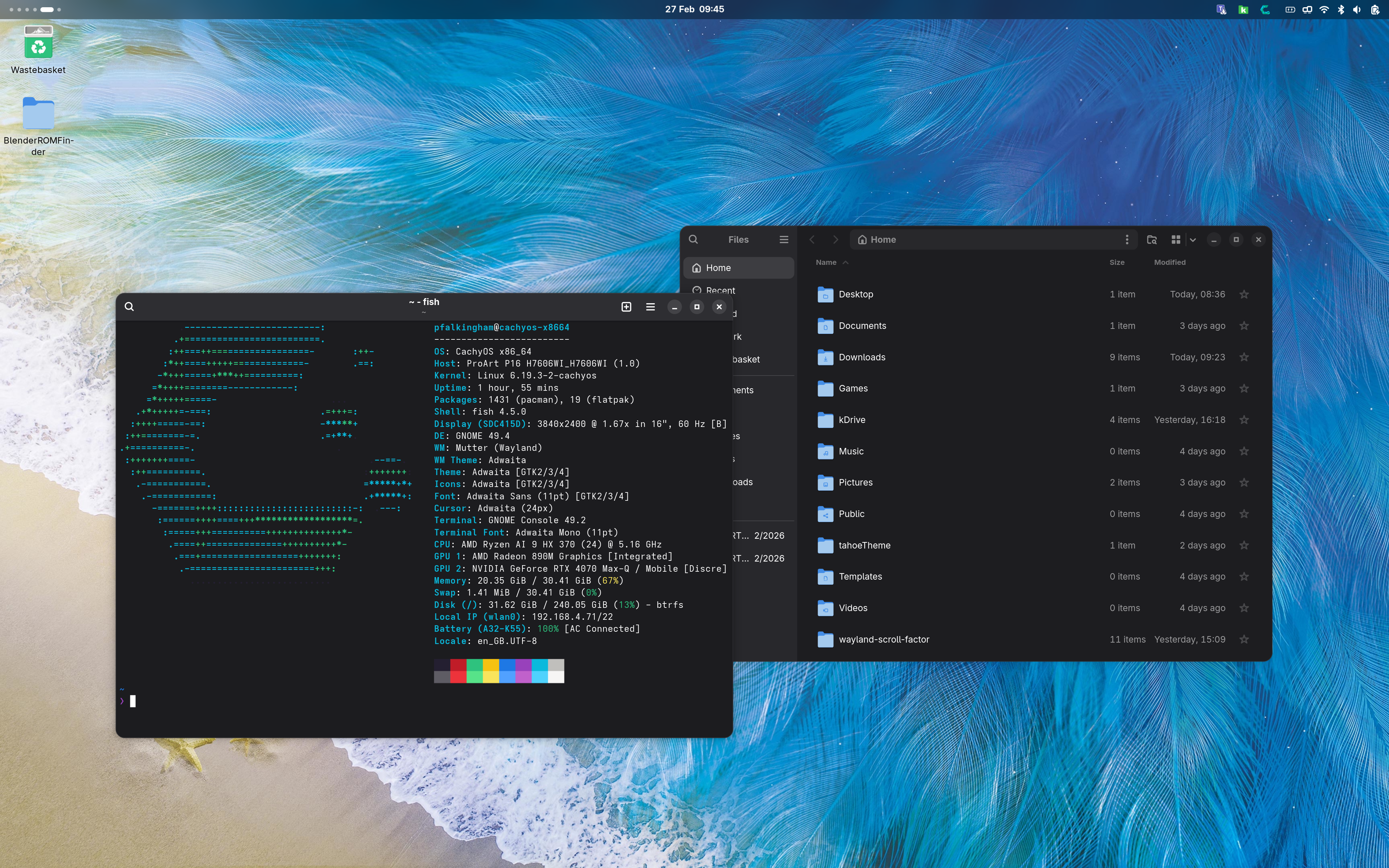
And with all that setup, I’ve a nice Gnome system running rather beautifully:
I’ve been very happy with CachyOS. the updates are frequent, and I’m wary of them breaking stuff; one the other day stopped by keyboard backlight working. (As an aside I find it hilarious that Linux users are all “Windows makes you update it’s the worst” then you start looking into Arch and CachyOS forums/subreddits and it’s all “Make sure you update every day or so or you’re in big trouble”)
It’s very fast. Programs like Blender open much quicker than on Windows. My battery life is fine, probably as good as windows in use, but noticeably worse in sleep/suspend.
The long term:
I’m using it as my daily driver, and enjoying it. And yet…. something about Linux (and MacOS for that reason) feels… I don’t know – ‘cramped’ maybe? I think it’s just my familiarity with Windows, but when I use Windows the OS feels like it expands beyond the visible desktop – I have a mental map of where everything is around the computer itself. With Linux I’m still searching for stuff on-screen. Hard to explain….
There’s a couple of things I miss. Copilot, for instance (yes, really!), and HDR is still an absolute non-starter for some reason, appearing washed out when enabled in-game (but fine on the desktop).
And so far, it’s a lot of work to not really accomplish anything I couldn’t already do in Windows. Very much more of a hobby than a distinctly productivity-enhancing endeavour. I also haven’t got CachyOS enrolled in secure boot yet either, so I’m going back and forth into the bios whenever I want to reboot into Windows.
I’ll write a follow-up post about how I’ve got Linux behaving with my Microsoft-based employer.
 Prof. Peter L. Falkingham
Leave a comment