
I recently upgraded my camera to a Nikon Z8 (review to follow at some point), specifically because it has a focus-shift mode where it will take a sequence of photos at different focus points to later combine.
One thing I didn’t realise was just how difficult merging those images into a single, fully focused image is. I’d assumed it would be something I could tear through with a batch process in Photoshop or similar. But both Photoshop and Affinity Photo are terrible for it. The process is slow, barely automatable, and clunky as all hell.
I was directed to Helicon Focus, which is very fast, and very easy to use. It’s not unreasonably priced either, at $30 a year, or $115 for a lifetime license, both for the Lite version.
However, from the demo (and from a colleague who has a licence), my outputs weren’t at the original resolution (nowhere near, not just missing a bit from a crop), and more importantly, it was doing something to the EXIF data that meant the outputs wouldn’t run in reality capture at all (which is weird given that JPGs without any EXIF data can work fine).
Given that experience, I kept searching, and came across focus-stack on github, by Petteri Aimonen.
It’s command line only, but it’s simple enough – the program, the inputs, and the output, e.g.:
focus-stack.exe \*.JPG --output myoutput.pngObviously you need to have your photos organised properly, and be able to call the executable from wherever your terminal currently is, but it doesn’t get much simpler than that.
As an added bonus, it’s dead easy to make a batch script to process a bunch of folders. The Z8 automatically puts each set of focus-shift images in it’s own folder, e.g.:

In each folder are 25 images of varying focus position. Each image is 8256 x 5504 pixels, and is about 10mb in size. Here’s some samples from an ammonite about 2 cm across. Images were captured with the Nikon Z8 with MC105 f2.8 VR lens, at f4.


So I wrote the following powershell script that ran through all of them (these are in a folder called ‘photos’, and above this folder is a folder called ‘focus-stack’ that contains the focus-stack program and libraries):
#a powershell script
#we are in a directory containing folders from 133NCZ_8 to 147NCZ_8
#for each folder I want to run a certain command.
#for 133 it looks like: ..\focus-stack\focus-stack.exe .\133NCZ_8\*.NEF --output=133.png
#I want to run this command for each folder from 133 to 147
for ($i=133; $i -le 147; $i++)
{
    ..\focus-stack\focus-stack.exe .\$($i)NCZ_8\*.JPG --output=$i.png --verbose
}
It takes about 50 seconds to process all photos into a single file (I need to see if it’s properly using my GPU). The output resolution is identical to the input photos. If exporting to a PNG it’s 60mb in size, a jpg is 9.47 (so about the same as the inputs).
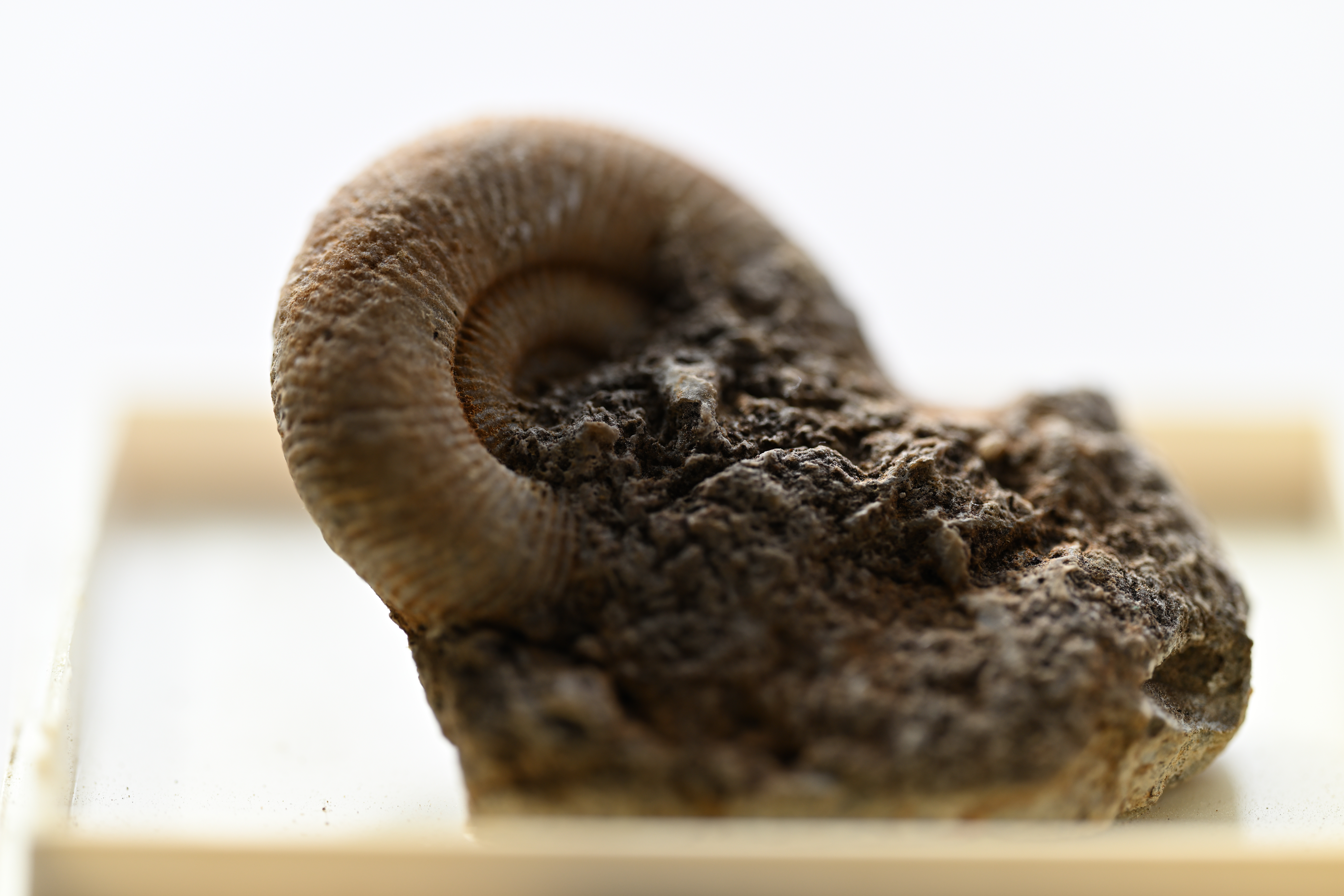
Here’s the result of focus-stack:

Now, in fairness to the focus-stacking software, my gap between focus positions is a bit large so it’s not perfect. But it’s still pretty bloody good.
For comparison, Helicon focus (the demo version) took less than 9 seconds! It produced a similarly excellent image:
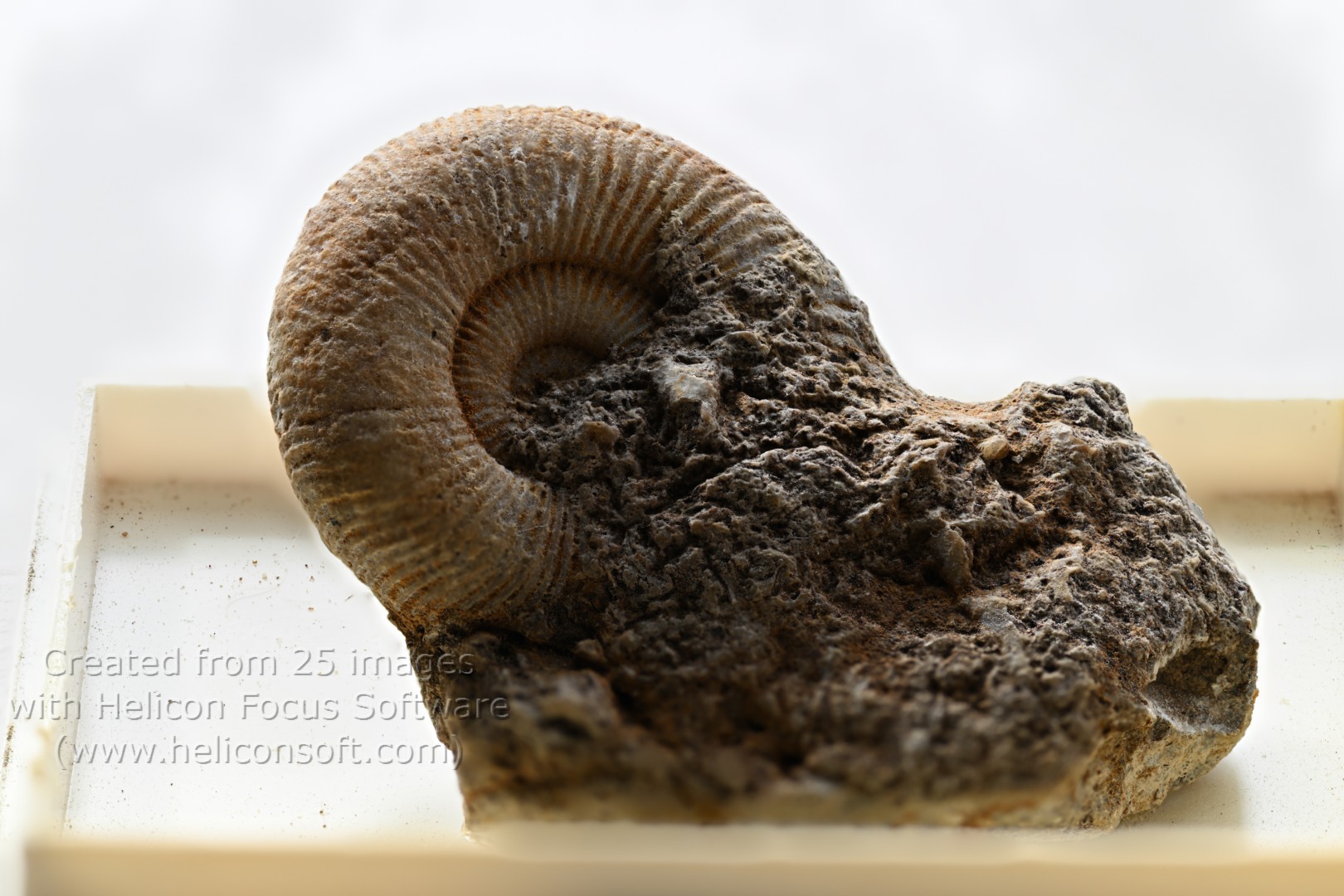
This is Helicon Focus in action (in real time):

However, this image is only 1620×1080 in resolution – a significant downsizing. Not clear if this is limited to the demo version, the lite version, or all versions of the software.
So yeah, Helicon focus is amazing, but there’s some small niggles, and it does cost $100 or more for a lifetime license.
Focus-stack is free, and while it’s a bit slower, it’s easy to batch process while you go get a coffee, and in my opinion the outputs are just as good.
I’ll have a post to follow soon where I compare some photogrammetry models with focus stacking.
 Prof. Peter L. Falkingham
Cant install focus stack on windows. Its downloaded but the application doesnt run
I was running it on Windows,
What error were you getting? You are running from the command line like I showed aren’t you? You don’t just double click it.
can please provide simple (step by step) instructions after downloading the program. Like what to do first after downloading and then how to run. If you could add pictures, would be great.
I know it might be annoying for you but I am not a pro and trying to learn.
I did provide instructions in the post, including pictures (its command line, so you only ever see text, there is no GUI). If you aren’t familiar with using the command line, I suggest you try helicon focus instead. For the program i use here, you need to get familiar with windows terminal, it’s not something I can really explain here.
I have A3+ prints from Helicon Focus. It definitely does large.
Thanks for the review. I tried it with great results! It doesn’t support RAW but it supports TIFF, PNG, JPG, and others. So I just exported PNGs from Lightroom and moved them to the “focus-stack” directory for convenience before running it.
For anyone who needs help: for Windows, you want to download the Windows binary file (not the source code unless you know how to compile) which is found under Releases on the right sidebar on the Github page. Extract it to a directory of your choice, and then open using Windows Terminal (in Windows 11, you can right click the folder and select “Open in Terminal”. At the prompt, type “.focus-stack” to see the list of options. Getting the command line syntax right may take some trial and error, but the documentation says you can also drag and drop (although I think if you do that it just uses the default parameters).
Your info for Windows users was very helpful thanks!
I got the Bin file which had the EXE file inside.
Then found that I needed to download C++ windows release, after which I executed the file one more time and it crashed immediately.
Just to find it out it requires 16gb of RAM (I have 8gb, LOL!).
I try it on my other better PC.
The site removed a backslash from my comment. At the Terminal prompt you need to type a dot and a backlash before the name. So it looks like “./focus-stack” but with a backslash instead of a slash.
I use HF and don’t get the resolution loss you mention so it may be a trial version issue.
That’s what I’m assuming, though it surprises me it’s not more obviously signposted if that’s the case.
iT’s $ 30 for a fuLL year’s licence, noT per monTh, for you’re informaTion.
Ah, thanks. Typo. fixed now.
It’s a demo limitation. From their website, details on the licence:
“Helicon Focus is a shareware program. You can evaluate a fully functional version for 30 days. Once the trial period is over the program will add promotional text to the resulting image and will limit its resolution to 4 Mpixels unless you register the program.”
Those prices are very expensive for just focus stacking, so I’ll stick with Affinity Photo that does a lot of other things.
Thanks, must have missed that first time round. Agreed on the price, hence the open source software is a great option.
Thanks for the tip about focus-stack. Installing it and the other necessary software was a a challenge but it works much better than photoshop at focus stacking and as you say, it’s quick.
If the propietary software (Helicon) limits the size of the pictures for demo version, it is possible that the pictures are reduced before the process.
So you probably want to reduce your pictures before running the benchmarks: otherwise, you might be comparing Helicon time for reduced pictures to focus-stack time for full sized pictures.
Really great post, had results in minutes! Thanks so much!
It was surprisingly easy for Windows, just download the focus-stack_Windows.zip file under releases, and extract that folder to wherever you want. You can then open up that folder and find focus-stack.exe. Per the github page, you can literally just drag and drop supported image formats into this .exe file, and it’ll spit out the output into your photo source directory using default parameters. No need for any command line if you want the bare bones performance
Excellent post, very useful, thanks Peter! I’m running focus-stack on my Ubuntu/Linux box, directly compiled from the GitHub’s source https://github.com/PetteriAimonen/focus-stack. Very satisfying results, as can be seen on some of my iNaturalist entries: https://www.inaturalist.org/observations/316414586 and https://www.inaturalist.org/observations/317132368. I do highly recommend it!