I reviewed Beholder Vision back in 2022, and then it was a web-based service, where you upload your photos, it produces a model, and you then download it. That service is still available, but Beholder have now released a desktop version.
Best of all, it’s complete free for personal use. It’s technically ad-supported, though so far that’s been pretty minimal for me. The pro version is just $55, which is competitive with Agisoft Metashape standard with an academic license. The Pro version allows commercial and academic use, and contains no ads.
However, like most photogrammetry software, Beholder Desktop requires an Nvidia GPU. It also only runs on Windows, there’s no linux version (and obviously no macOS version given Macs don’t support Nvidia).
I downloaded the software and gave it a run.
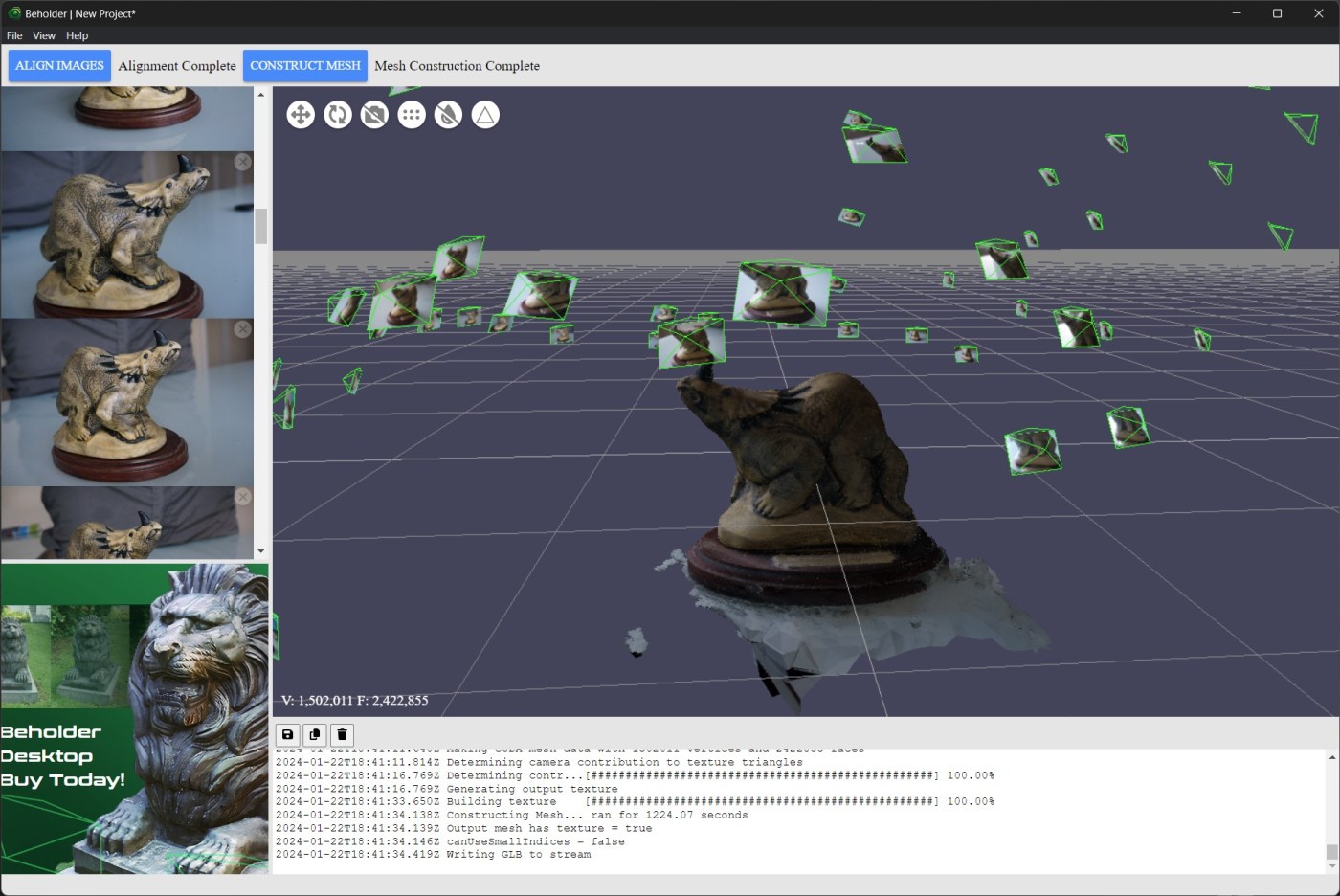
On opening it up, you’ve got a pretty simple interface, with a 2D photo view, a 3D view, terminal output at the bottom, and a small ad in the lower left. For me so far this has only shown an ad for Beholder itself, but presumably in the future other ads could appear here in the free version.

The top bar has ‘align images’ which is greyed out until images are added, a message saying at least 6 images are needed, and a ‘cunstruct mesh’ button, also greyed out until images are aligned. File, View, and Help are all fairly sparse – help has about and licence, view just has an option for turning the console at the bottom on and off, and file has open, save, and preferences. Preferences just contains options for telemetry and auto-updates, nothing related to reconstruction parameters.
You start by dragging images into the left panel, or clicking and using a file browser. You get a message that the images are uploading, but they’re not – they remain local.

The panels are all resizable, but you only get one column of photos – they expand to the width of the photos pane. Makes it a little difficult to scan through the images you’ve added, but individual images can be removed.
When they are in, you can hit ‘align images.’

A progress dialogue comes up, which you can expand for more details (though this is just what is already being piped to the console at the bottom).

Beholder had no issues with my Styracosaurus model dataset, aligning all 53 images nicely. It took 153 seconds on my Surface Laptop Studio with an i7-11370H and Nvidia A2000, which isn’t terrible.
When that’s done, you can see the sparse point cloud and camera alignment in the 3D viewer. Nicely, there’s move and rotate buttons in the viewer that let you manually orient the reconstruction properly to the ground plane.
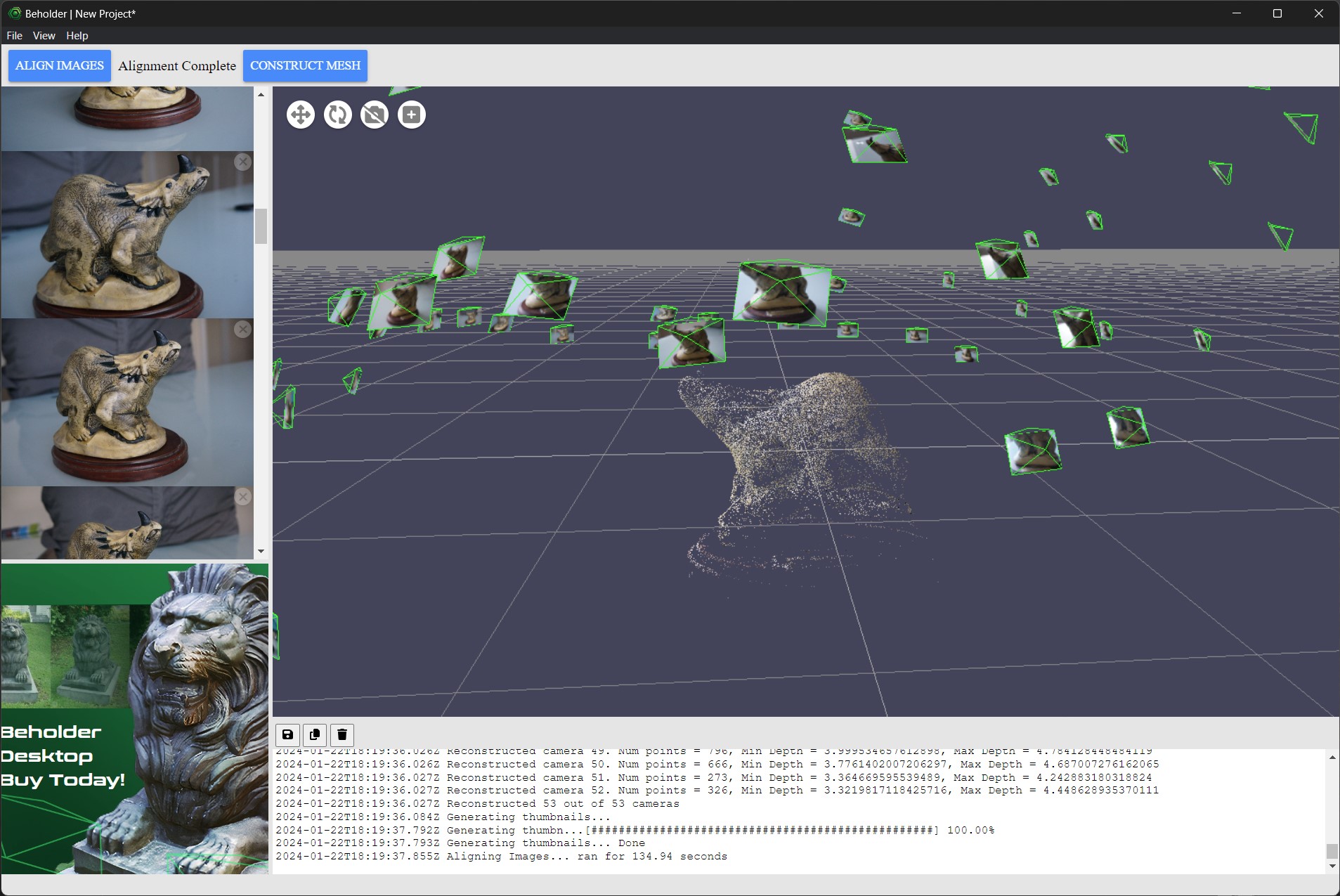
With the sparse point cloud made, you can then hit ‘construct mesh’, and it will carry out meshing, UV unwrapping, and texturing. Meshing took 1224.07 seconds on the SLS.
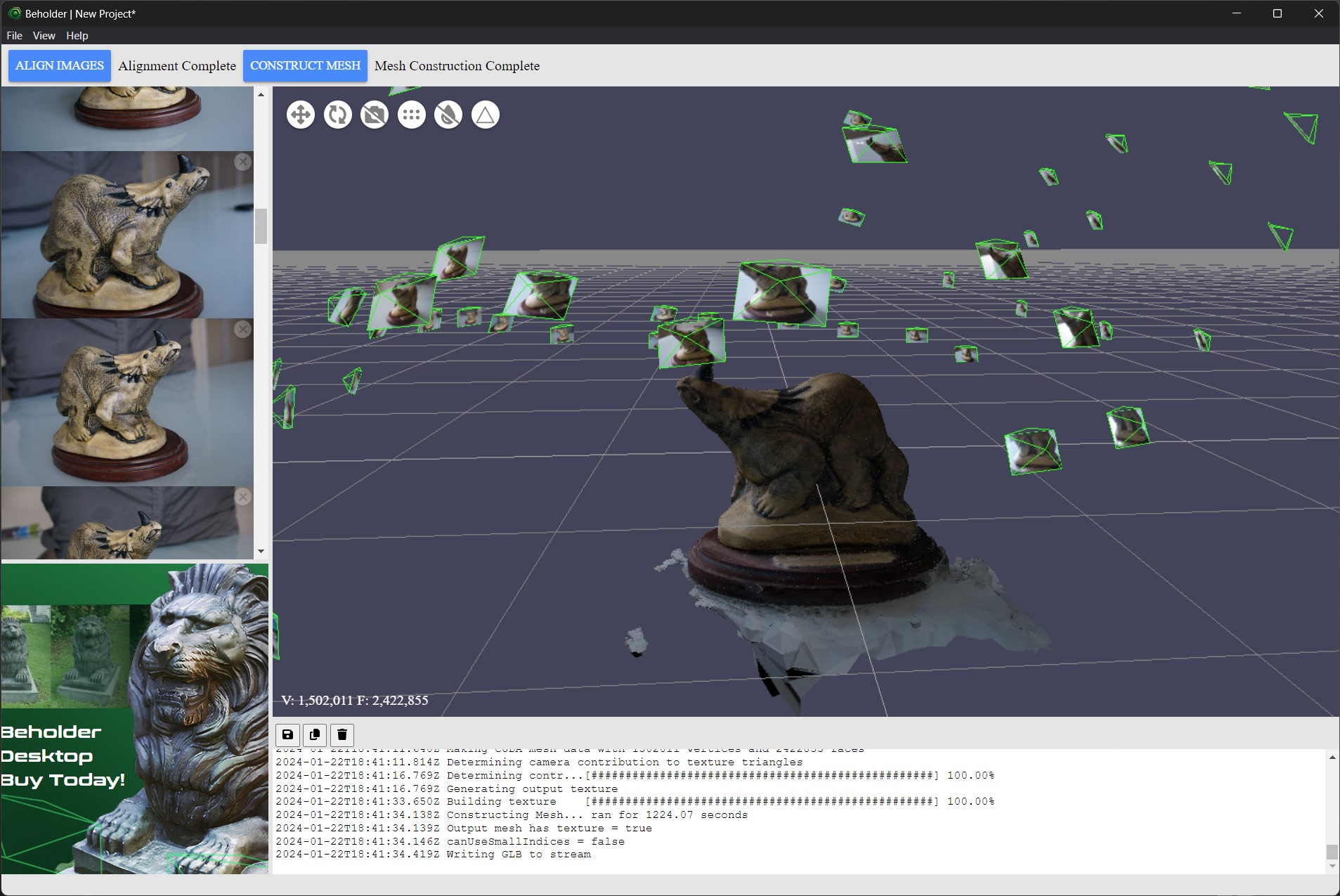
The result was pretty good, actually. Texture was clear, reconstruction quality was generally quite high for this dataset (the brass came out ok, and the horn was mostly reconstructed).

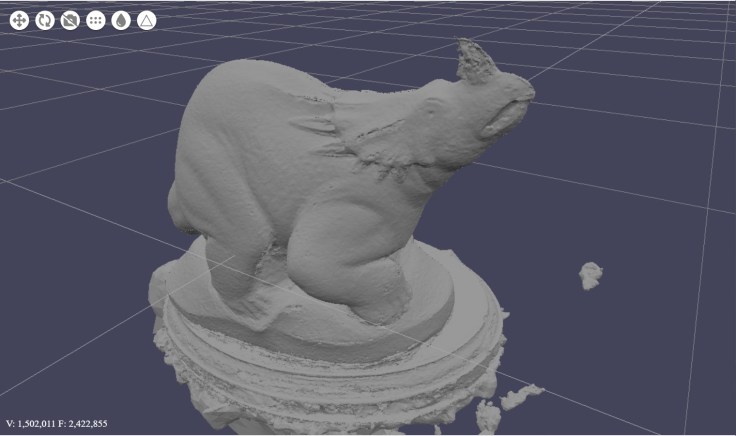

For exporting the model, you have just 3 options, *.obj, *.stl, and *.glb. I exported as obj, then uploaded to sketchfab:
Conclusion
Beholder Desktop is pretty bare-bones. There are no options to adjust reconstruction quality, mesh density, etc. And that’s probably fine for what it is, which is a competent, desktop-based photogrammetry pipeline. Beholder links to licenses of open source software it’s using, and it’s essentially a nice GUI wrapper around some of the terminal-based software I’ve looked at in the past.
If you want to do anything more complex, such as scaling, control points, editing meshes and reprojecting textures, etc, then this isn’t for you. But if you just need something free or cheap to produce a model from some photos, this is about as simple as it gets while also make decent quality reconstructions.
Most of my readers probably want something more advanced, but for those starting out with photogrammetry, I’m struggling to think of something I’d recommend over Beholder Desktop.
 Prof. Peter L. Falkingham
Leave a comment