
Welp, it’s new computer time. My Surface Laptop Studio was starting to slow me down a bit with work, and wasn’t keeping up with games, even with the eGPU. I was also starting to feel like I was missing out on the new copilot+ PC stuff – I dabble with local LLMs and stuff, and thought a device with an NPU would be fun.
I had my eyes on ASUS’s ProArt P16 since before it was released – it seemed to have everything I wanted; nice screen, good looks, a new high-end laptop CPU, and a near top-end GPU in the 4070, all while being thin and light. For a little while I was tempted by the ASUS Zenbook S16, which has the same CPU, but only integrated GPU, with the plan to keep my eGPU, and maybe upgrade the card inside it. However, ASUS never released the Zenbook in grey, and I really didn’t want the white. In the end, I found an excellent deal on the ProArt P16.
Design
I never realised until the past couple of years how genuinely important laptop (and other device) aesthetics are to me. I genuinely loved my Surface Laptop Studio (and most of my other Surface Devices, particularly the extremely thin Pro X). There was just so much well designed about it – the fans being on the sides meant your lap didn’t get super hot when in use. The folding screen was gorgeous, albeit very reflective. And the pen magnetically attaching was awesome.
When looking for the Surface’s replacement then, as someone who generally considers himself more function over form, I was surprised how high on my list design was. There were some other options with a slightly better price:performance ratio, but they looked ugly, and were mostly gaming machines with big thick fan exhausts. Or Macbooks, but I’m firmly in the Windows camp for now.
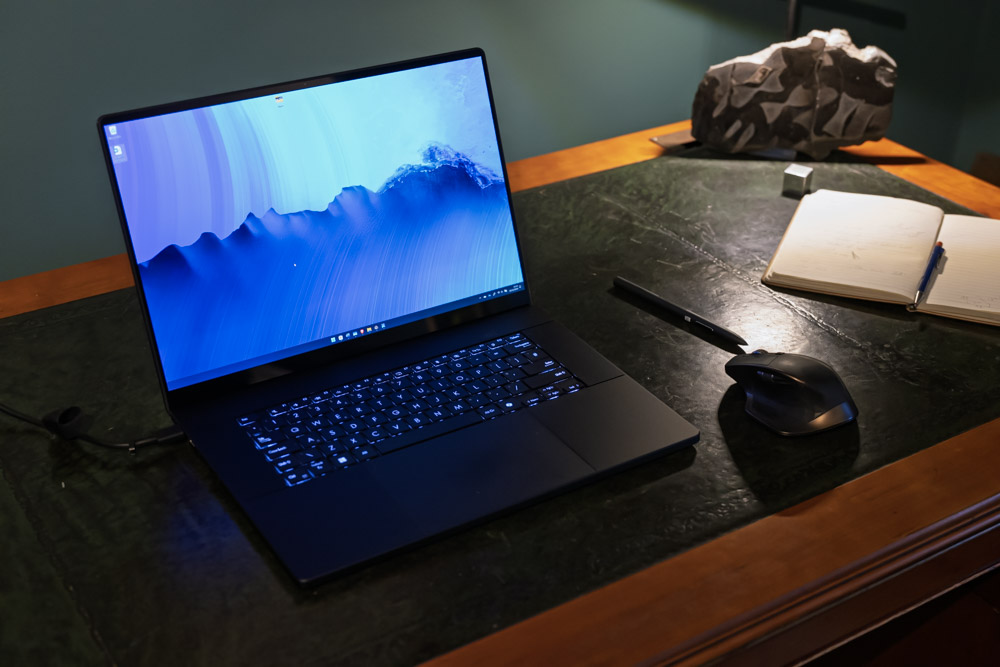
The ProArt P16 is stunning. It’s a matt black all over. If anything, it’s too black, because it just blends into my dark green desk in anything other than good lighting. Luckily the keys are backlit. Maybe that’s the pinnacle of an ideal laptop – I can’t see it when I’m working or playing at it in a moderately dark room. When it’s closed, there’s just this lovely subtle little branding on the lid. The whole thing is metal, except for the stupidly large trackpad that is made of glass. The trackpad isn’t haptic though, rather it’s the old-style ‘diving board’ that physically moves when you click it, and moves more near the bottom than at the top where it’s not clickable at all. I dearly miss the haptic touchpad of the Surface Laptop Studio, and it’s quite astonishing to me that a laptop premium in design (and price) as the ProArt P16 doesn’t have one. What the P16 does have is a small dial built into the touchpad. Activated with a swipe down on the right, you can then use it like you would the Microsoft Surface Dial or similar. The trouble is, it doesn’t work with the new version of lightroom, which is about the only place I think I’d use it. I dabbled with it when I first got the machine, but couldn’t really find a way to use it. It might be useful in Blender if I can be bothered setting it up.

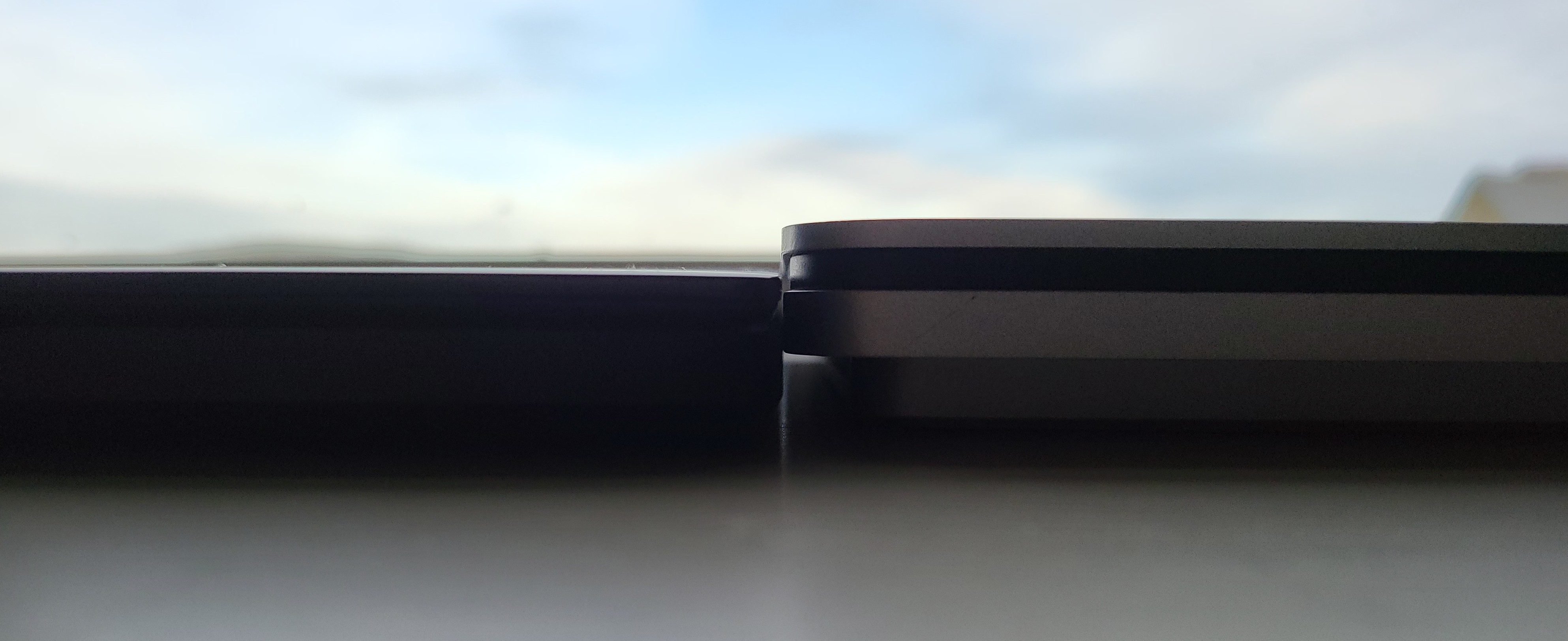
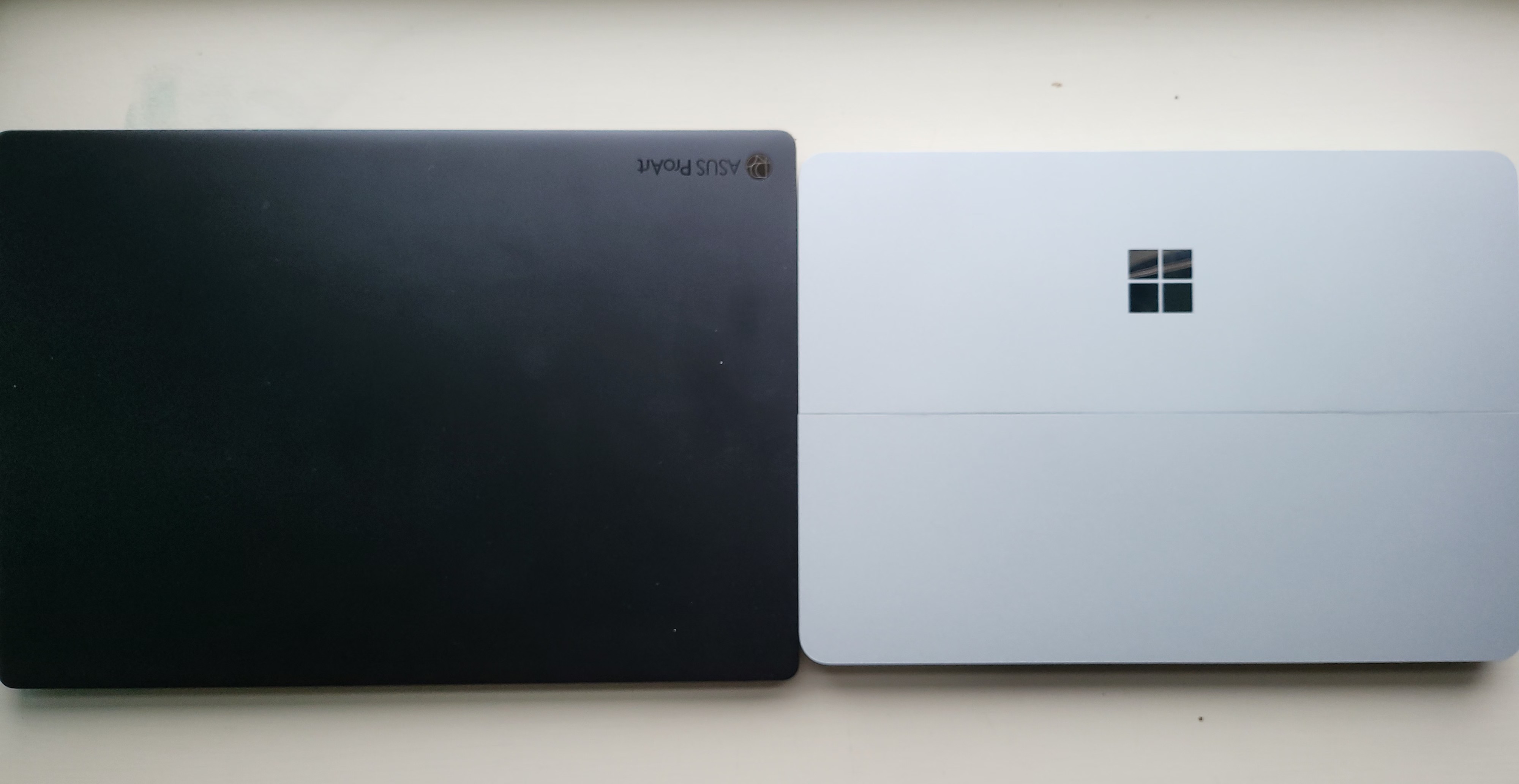
And to top it all off, this package is thin and light – it’s a 16” laptop, yet it’s lighter than the 14” Laptop Studio, and thinner.
But here’s the real joy – it’s quiet too! I almost always keep the device in ‘Whisper mode’, which keeps fans to a minimum (off when just using Word etc, spinning up to about 50% under load) and I rarely hear it. It spins up a bit when I’m playing games on max settings, but then I barely hear it over the sound of the game. It’s noticeable if I’m running simulations or photogrammetry though. When you crank the system into Performance Mode, fans are audible in ‘normal usage’ and frankly loud when running heavy software. There’s also a ‘balanced’ mode sitting between whisper and performance, and you can also customize settings for fans and CPU/GPU. However, I saw very little difference in performance metrics between modes – I think performance mode really comes into it’s own for prolonged heavy processing.
The laptop gets hot above the keyboard, near the screen, but the keys themselves and the palm rests stay very cool even under heavy load, which is extremely welcome. However, unlike the Surface Laptop Studio, this thing blasts hot air out the back and your lap will get hot. Uncomfortably so under heavy load. The bottom of the laptop also has a lot of air grilles, which detracts from the design compared to the solid unibody of Surfaces or Macbooks, but I suppose it’s a necessary evil for a whopping great 4070 in there.
Specs
I won’t belabour the specs, because you can find those and synthetic benchmarks easily online. It runs on the latest AMD HX 370 AI CPU, which has 12 cores (24 threads), of which 4 are performance, and 8 are more energy efficient. It has an Nvidia 4070, which is almost top end laptop dGPU for the time being. The screen is lovely – OLED, 4k. The model I got had 32GB of RAM and 1TB SSD. I immediately bought a 2TB Samsung SSD and added that to the system, giving me a 1TB system drive, and a 2TB drive for data and games.
The ProArt P16 is available with 64GB of RAM, and honestly I wish I could have gotten that, but I got such a good deal on the 32GB that it would have cost me over £800 for the 64GB version, which while that model comes with a 2TB SSD, I just couldn’t justify paying that much for 32GB more RAM.
Display
I mentioned already how lovely the screen is. The resolution is excellent – at 16” and 4k+ (3840 x 2400) it’s a 16:10, rather than 16:9 screen), you’re not going to be seeing individual pixels. I find I’m gaming at 1920×1200, which is exactly half res in each direction, because performance (which we’ll get to) is way better than 4k (of course), and at 16” it’s not a huge issue – once a game is in motion, I’m struggling to tell 1920×1200 from 4k.
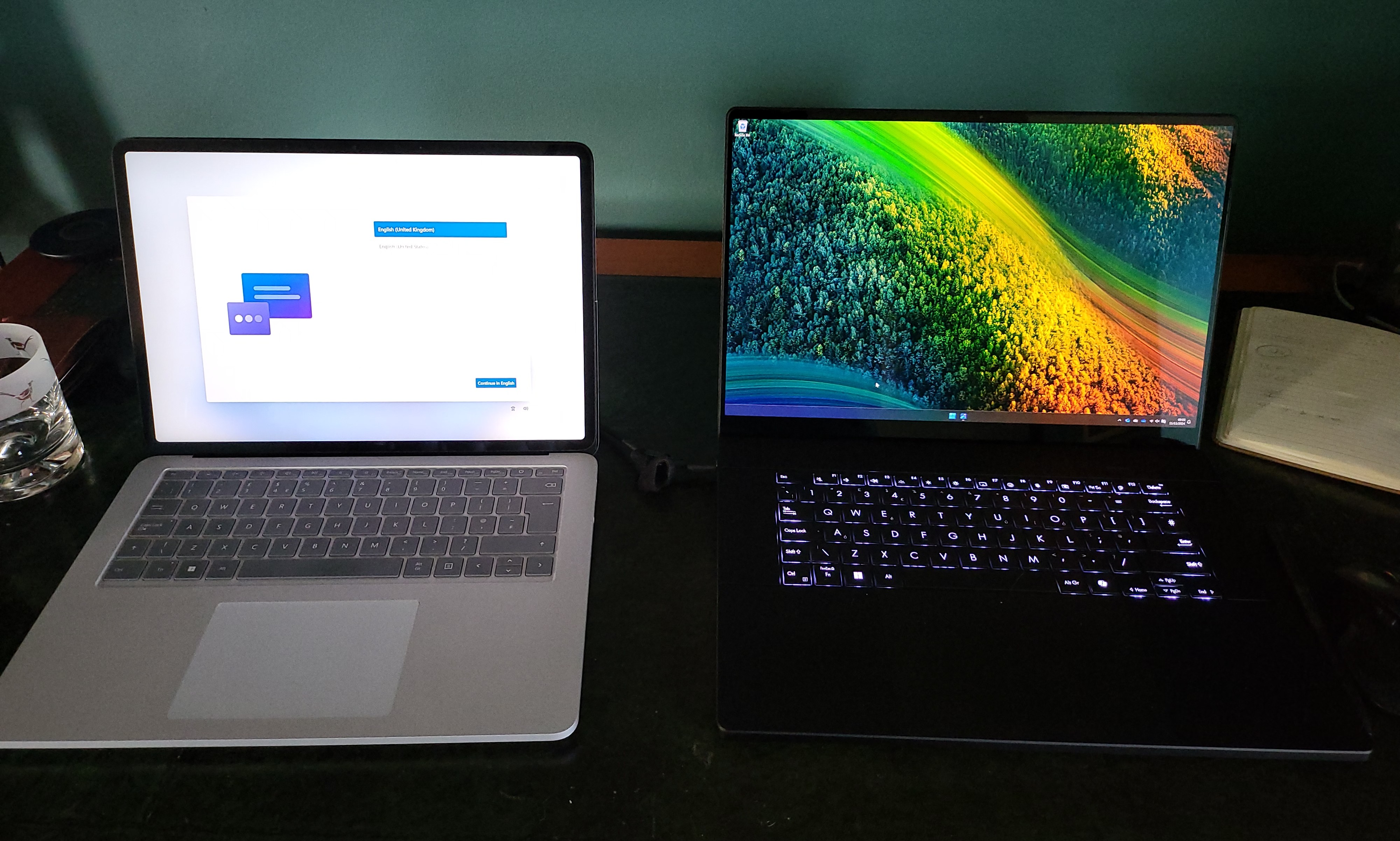
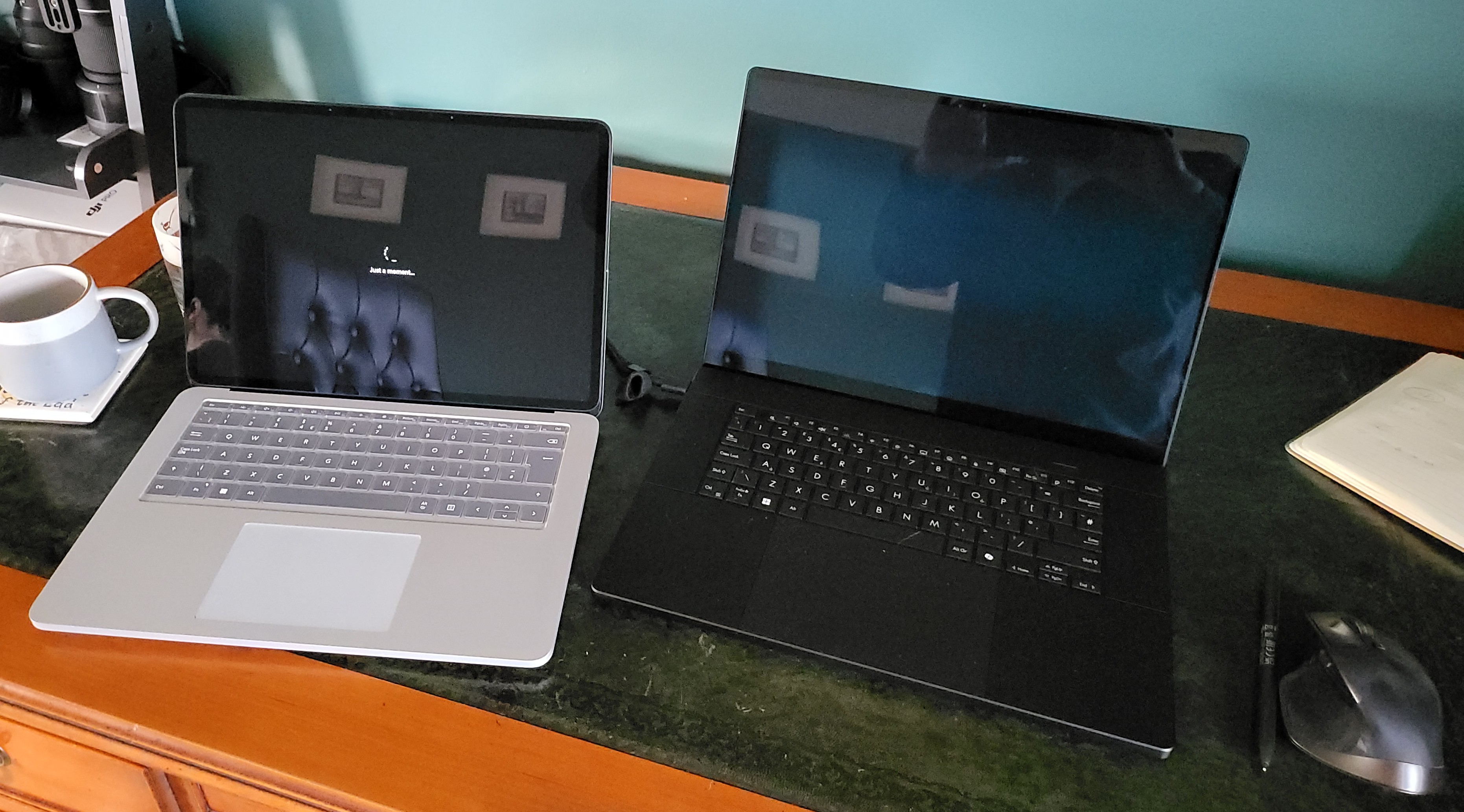
I’ve seen comments online from people bemoaning the refreshrate being only 60Hz, and claiming that anything less than 120Hz is simply unacceptable. I do not fall into this category. Maybe it’s because I’m old and either my eyes are failing, or I just remember trying to get from 22 to 27 fps in Quake, so 60Hz is fine for me. Or, maybe it’s not all about refreshrate – this OLED panel has a tiny response time of ~1 ms. The Surface Laptop Studio has a 120Hz refresh rate, but a response time of ~50 ms, which results in a little blur or ghosting when scrolling white on black or vice versa. In other words, even though this screen has a lower refresh rate, it feels considerably smoother than anything I’ve used at laptop or monitor scale (my fold 3 with it’s 120Hz does feel a smidge smoother).
The screen is calibrated and all the rest for a massive colour space, covering 100% of DCI-P3 and sRGB, and having HDR (though it’s not really bright enough for that to be a game changer, at only about 600 nits – I don’t really notice much difference between having HDR on or off for videos or games.
It’s also touch and pen enabled, which was a necessity for me. Touch is just generally useful. The pen is interesting – I was finding that I wasn’t using it to take notes in Onenote and such on the Surface because it was just too big. Having the Pen is nice though for signing documents, adjusting sliders in photoshop/lightroom, and for doodling, taking notes, segmenting CT scans etc. It’s a little awkward to use on the ProArt P16 because the screen doesn’t lay flat, and there’s no where to store it when not in use, so there’s been more than one occasion already where I’ve needed the pen then realised I’ve not brought it with me. In use, there’s no haptics like there are for the Surface Slim Pen 2, which is a shame, but not something I miss terribly. It has plenty of pressure sensitivity (4096 levels) but no tilt as far as I can tell. The button on the end launches onenote, advances powerpoint slides etc, and there’s two buttons on the barrel for erase and right-click. It’s well designed in that you pull the cap up to reveal a USB-C charging port, but what I don’t like is that it doesn’t turn off or sleep, so it just runs out of battery every few weeks without indication. The inductive magnetic charging on the Surface is very much missed here.
Because it’s an OLED with a pen, there’s a very fine grid visible when areas of the screen are black. Some commenters online have been pretty offended by this. I notice it occasionally, but rather than describing it as a screen door, I’d say it’s more like you’ve got a little grease smudge on the screen. It’s only visible in low angle bright light on a black background though, so it doesn’t bother me.
The keyboard is without doubt the best I’ve ever used on a laptop. The keys have the exact amount of travel for me, and the layout works well. My typing speed is about as good as it gets on this device. The copilot key, which Microsoft mandated for copilot+ PCs and which appears to the right of the space bar has become moderately useful. Or at least it was until Microsoft just implement the alt-space shortcut for copilot. I am actually using copilot more, particularly for small queries now that it’s so easily accessible.
Performance and Battery
Everything I’ve thrown at it has absolutely flown. As a point of comparison against the Surface, and a Macbook Pro (M1), my Styracosaurus photogrammetry dataset took 141 seconds in Metashape. Compare that to 181 seconds in the Surface Laptop Studio hooked up to a desktop 3070! It’s also much faster than the M1 Macbook Pro (223.20 seconds – I realise we’re now on M4, but I don’t have one of those to test on).
For other comparisons with my prior performance testing, I’m getting 60fps in Cyberpunk 2077 at 1920×1200 and ultra settings with Path Tracing enabled (Using DLSS and frame gen), and over 120fps in Hitman 3.
That is all in Whisper mode, absolutely incredible. But here’s the *chefs kiss*: it was the same on battery. That’s right, a windows laptop that’s as quick on battery as it is plugged in.
And, in a final comment on battery – it seems to be lasting plenty long enough. The general efficiency of the AMD HX 370 AI is really good. I’m comfortable taking this into work without a charger, though that’s if I’m not planning on doing heavy lifting like simulations or blender rendering.
It is worth noting that you can set the laptop to automatically disable the Nvidia 4070 when unplugged and rely on the AMD 890 integrated GPU. This isn’t as drastic as it sounds – that iGPU is excellent, and I’m able to play older games on it without issue. The above Styracosaurus model dataset took 195 seconds using just the 890, which is faster than the Macbook Pro M1, and about on par with the Surface Laptop Studio + a desktop 2060. There’s also a weird advantage in that while the Nvidia dGPU is limited to a paltry 8GB VRAM, the AMD iGPU can use the system RAM – so technically can go up to 24GB VRAM while leaving 8 for Windows. There are some edge cases where that would be useful.
Features and AI
There’s a webcam. It’s 1080p (full hd), but frankly it’s not great in anything but the best lighting. In fact, let’s be honest here: it’s awful:


This is bizarre, given the Neural processing unit, or NPU (the bit that gives the ‘AI’ in the processor name) offers ‘windows studio effects’ that blur background (better than teams/zoom do), or offers automatic framing (the same as Apple’s centre stage). The auto-framing in particular really needs a higher resolution camera to work, because it digitally zooms in on the image.
Audio is fantastic – the speakers are the best I’ve heard on a laptop (or a computer monitor), and the mic is great too, which a bunch of options for AI and non-AI noise reduction.
I was excited for a device with a decent NPU to do cool AI-realated things locally. However, Recall and click-to-do aren’t out in release yet (they came to AMD and Intel Copilot+ laptops a week ago in the Windows Insider programme), and apart from that, there’s very little that actually uses the NPU. Ollama and similar haven’t yet taken advantage of it, and when they do it will still be slower than the dGPU. ASUS ship a couple of programmes that are AI-centric – MuseTree which is an image generator, and StoryCube, which is a photo-management application. The former of those, MuseTree, just uses online AI models (specifically stable diffusion), and not the NPU at all. The latter I’ve not used because I have 10’s of thousands of photos and it takes so long to index them it hasn’t finished after several weeks.
Microsoft did update the photos app to use the NPU for creating different styles of picture – e.g. changing a photo into an oil painting, but this has been not particularly great in my testing.
I’m one of the people looking forward to Recall (security issues have been massively overblown), but I’m not yet ready to drop into the Dev channel of the insiders programme, so that will have to wait until the new year.
So in other words, the only thing that NPU is being used for is applying studio effects to a really terrible webcam image. It’s a good job the processor is fast and efficient in general usage.
Conclusion
The ASUS ProArt P16 is phenomenal. You can get more power, you can probably get more performance for the price, but I’m not sure you can get a laptop that looks and feels this good, while performing as well as it does, with pen and touch too.
I do miss the uniqueness of the Laptop Studio. Every time I open the ProArt up, I find myself ever-so-slightly disappointed that it’s ‘just’ a normal laptop. Still, it’s about the best Windows laptop out there at the moment, for what I need it for, I reckon. It has everything I want [except maybe a better webcam].
 Prof. Peter L. Falkingham
I bought one and it lasted 2 months before it failed. Asus customer service was rubbish. It’s back from repair now, but I’ve fallen out of love with it. Good luck with yours
Their reputation was a bit of a put off, but I’ve got 3 years 3rd party warranty so fingers crossed. What failed on yours?
I’m left massively disappointed by this ASUS. I bought it with the idea that MuseTree would be decent and that storycube would be great. Neither are even adequate. A huge selling feature was recall which now won’t even be available for a year later than when it was expected(fall 2025 at earliest). I spent more than what I had in my budget for the AI capabilities and I’m left with nothing that I can’t get online for free. Massively disappointed. What can we do?
I love the hardware, the aesthetics of the device, and the power are exactly what I wanted. Storycube and MuseTree turned out to be absolute garbage, and the dial isn’t great (doesn’t work with lightroom, which is probably the only place I’d use it). The pen is frustrating in that it doesn’t turn off, so needs charging once a week whether you use it or not.
However, I’ve got Recall and other copilot+ features in Windows (e.g. click to do) by using the Beta on the insiders programme (it’s as stable as release), and I’m finding that really useful. And as I say, the feel and look of the laptop, combined with the power and battery life are absolutely a win.